How to create a duplicate order
Description:
If you want to create the same order, usually the same products to the same customer, you can easily do that in the Seller Portal of Bezos.AI.
Instructions:
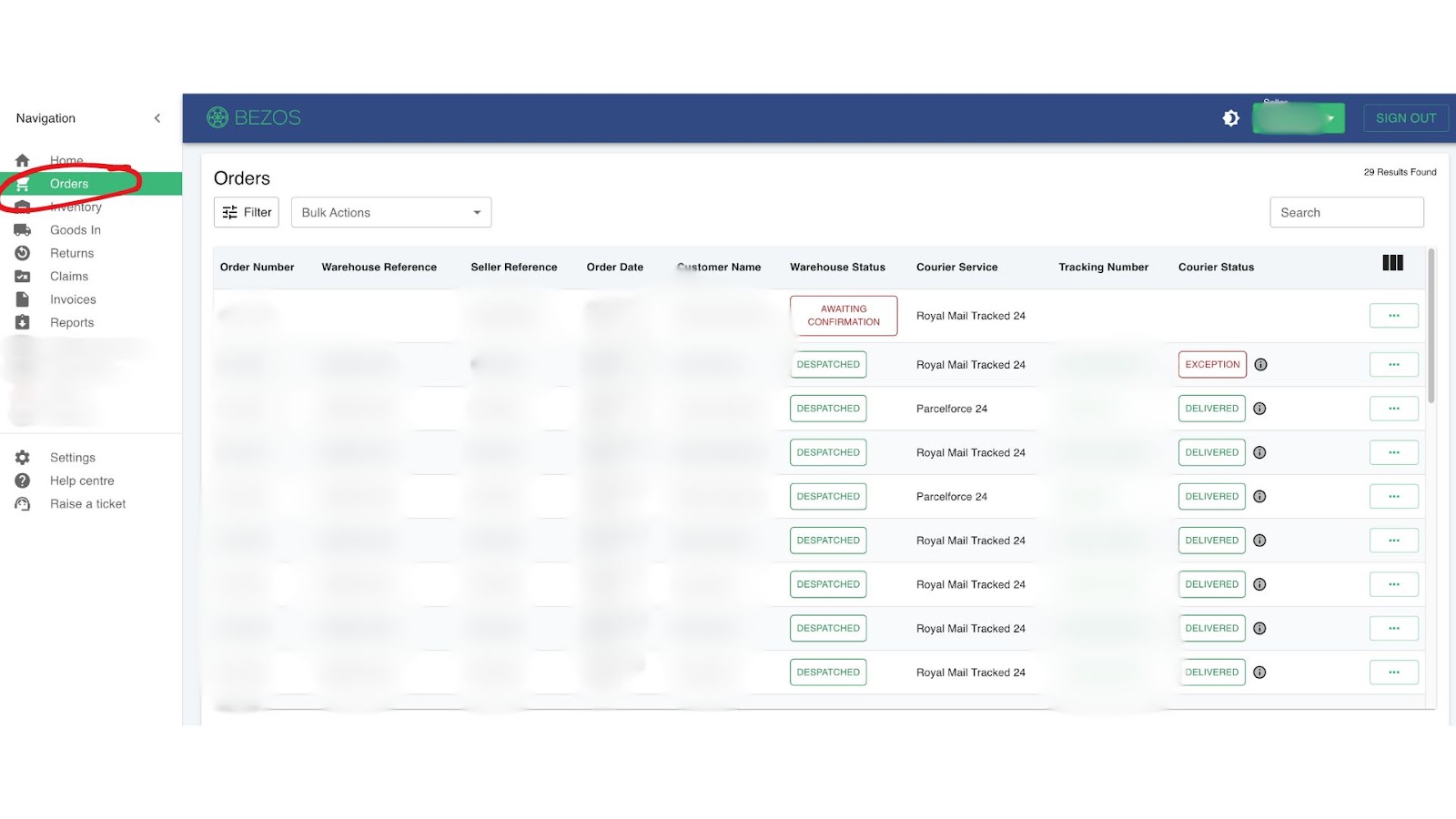
1. Go to Orders, search for the order number
2. View Order Details
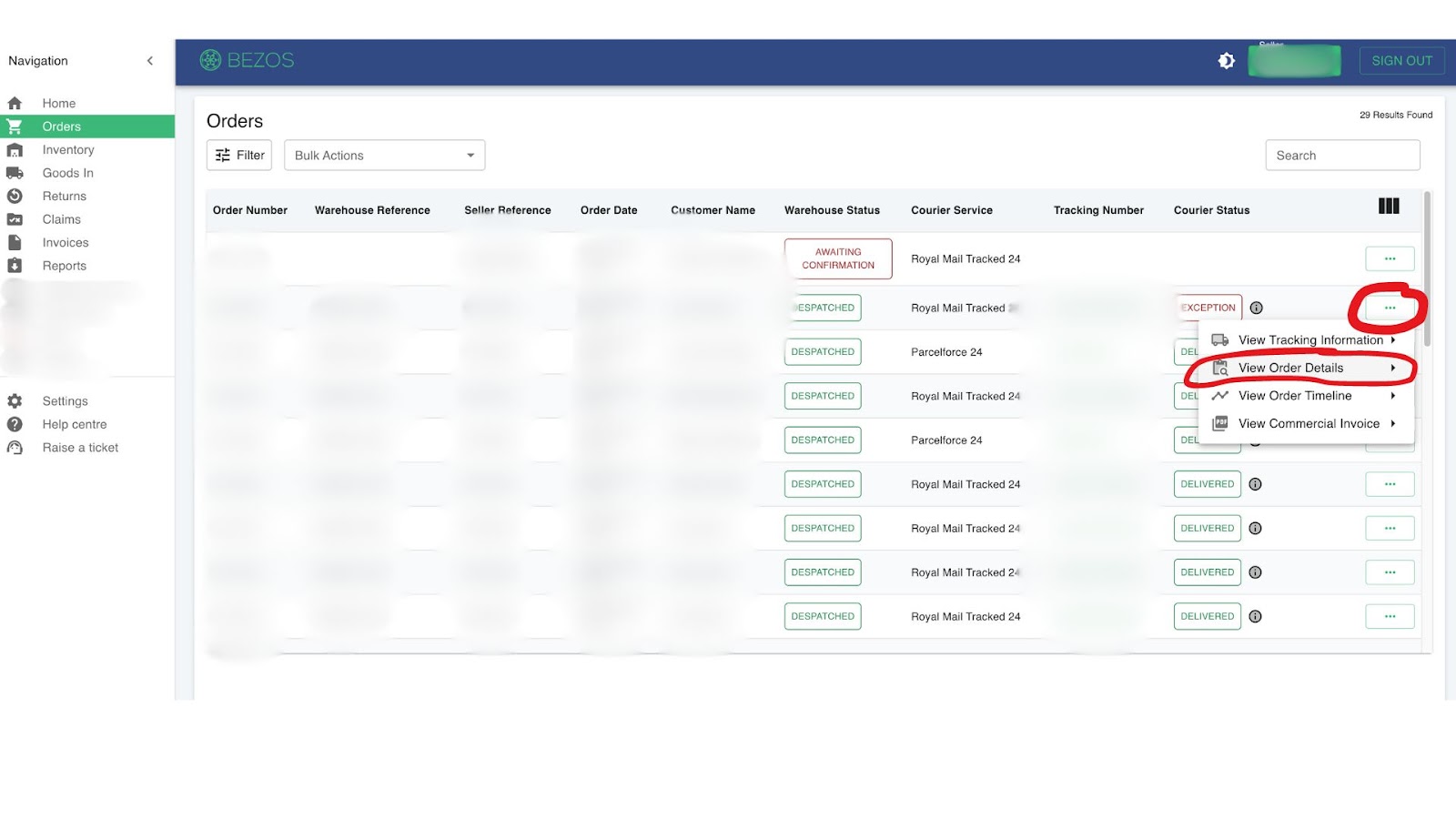
3. More Actions > Edit Order
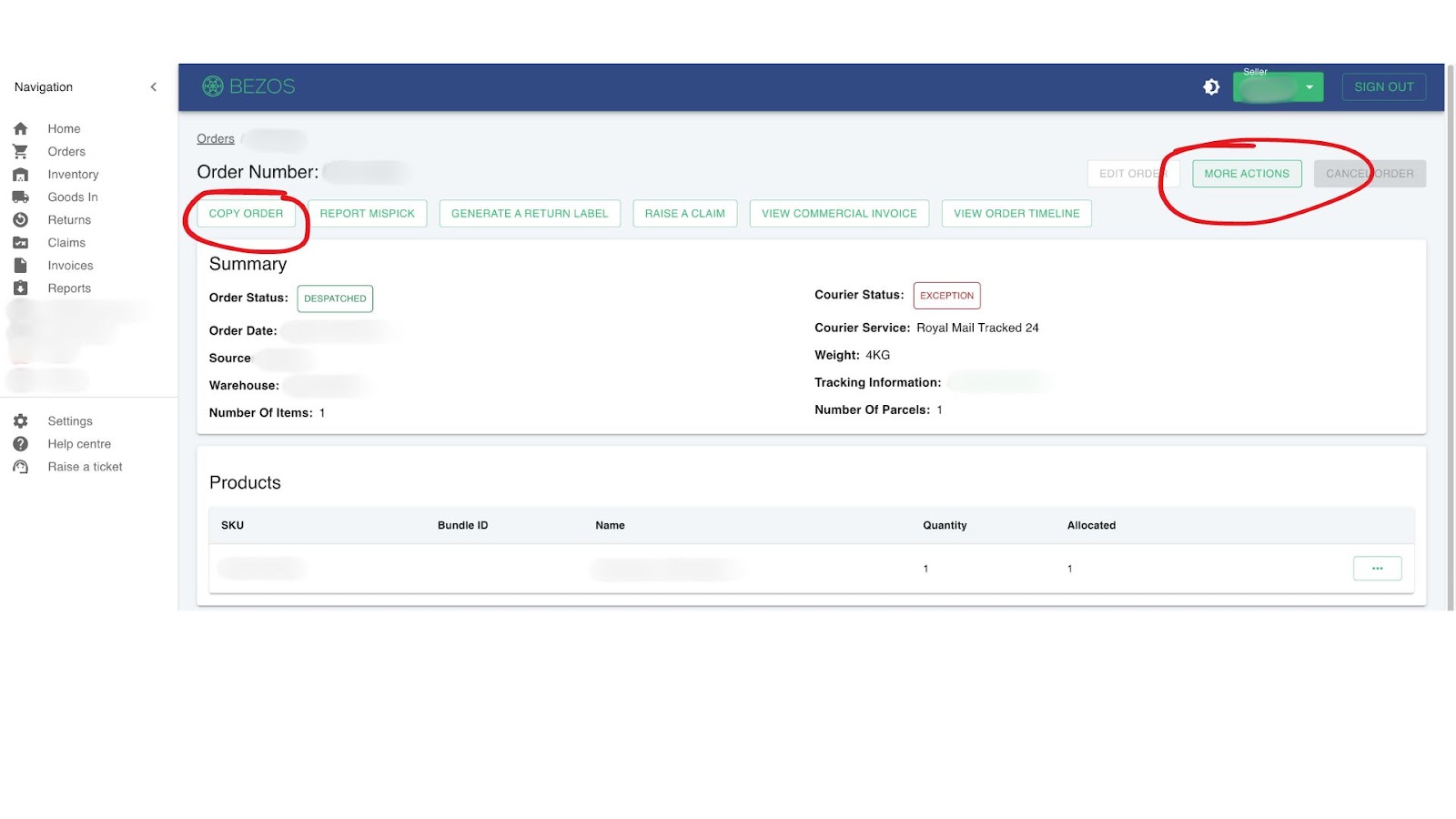
4. Check name, address and products and then confirm order
Related Articles
How to create a replacement order
Quick Guide To manually create a replacement order in, follow the steps below: 1. Login in Bezos Seller Portal. 2. Search for the order. 3. Click on "View order details" and "COPY" the order. 4. Check/edit shipping details. 5. Check/edit products in ...
How to create an FBA order
How to create an FBA order This guide explains how to create an Amazon FBA order through the Seller Portal, send it to Bezos to be packed to Amazon’s requirements, and arrange collection. How long does it take? Bezos aims to have your order packed ...
How to Create a Manual Order
Quick Guide To manually create an order in Seller-Portal, follow the steps below: 1. Click "Create an Order+" 2. Enter shipping details 3. Add products to order 4. Add any relevant additional information 5. Review and confirm the 'Submit' For ...
Splitting Orders: In-Stock, Backorder & Pre-Order Items
Splitting Orders: In-Stock, Backorder & Pre-Order Items Overview When a customer places an order that contains both in-stock items and items that are on backorder or pre-order, you have a choice about how it's fulfilled: Ship the available items now ...
How to create a B2B order
Create the order in the Seller Portal Steps: Log into Seller Portal Create a manual order in Seller Portal Manually name the order containing the following format: [Your 3 letter code]-B2B-[your internal reference] For example, if you 3 letter code ...